Beam Planner
PAUT Simulation Software
Configure your PAUT parameters and visualize ultrasonic beam paths in real-time. Visually set wedge angles, probe placement, and specimen thickness before entering the field.
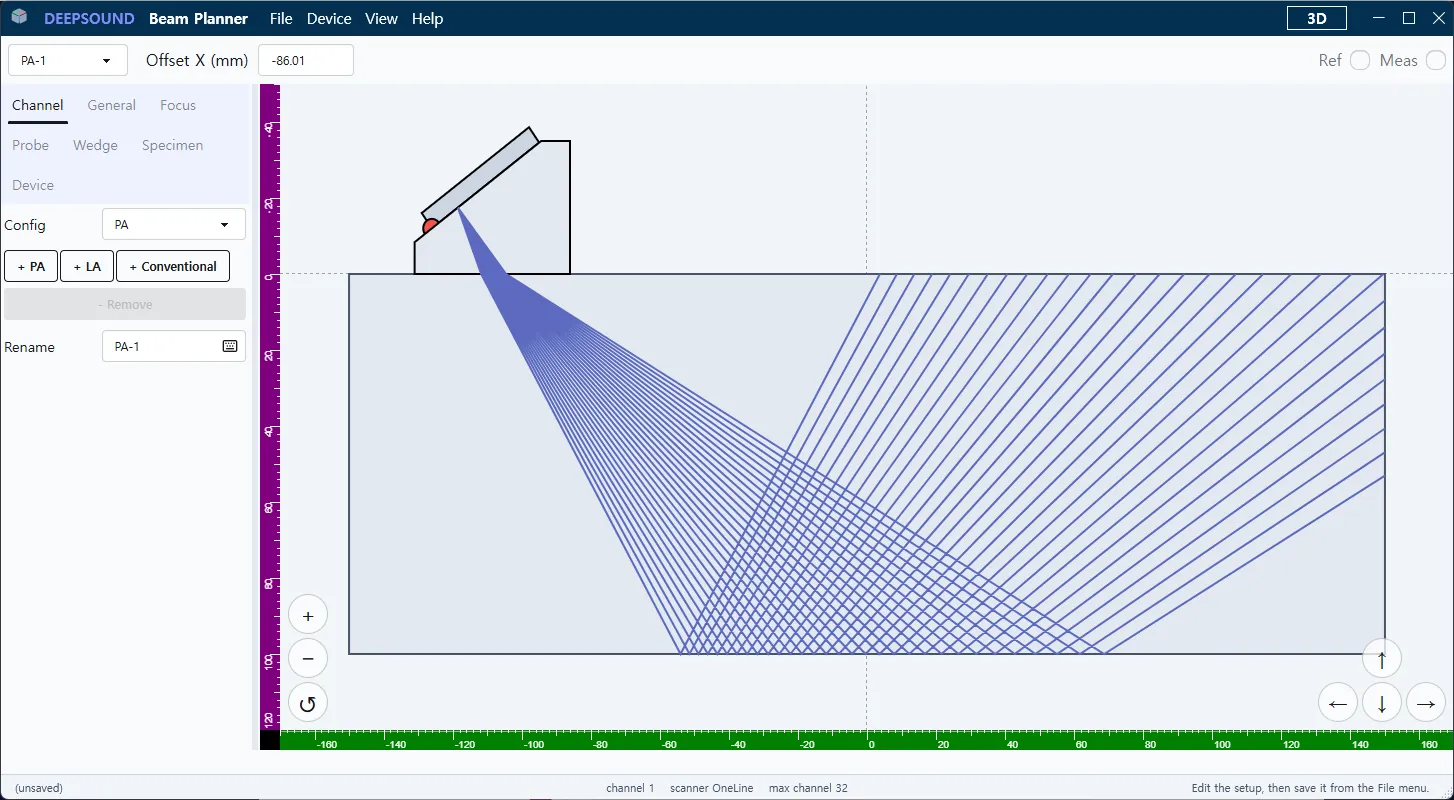
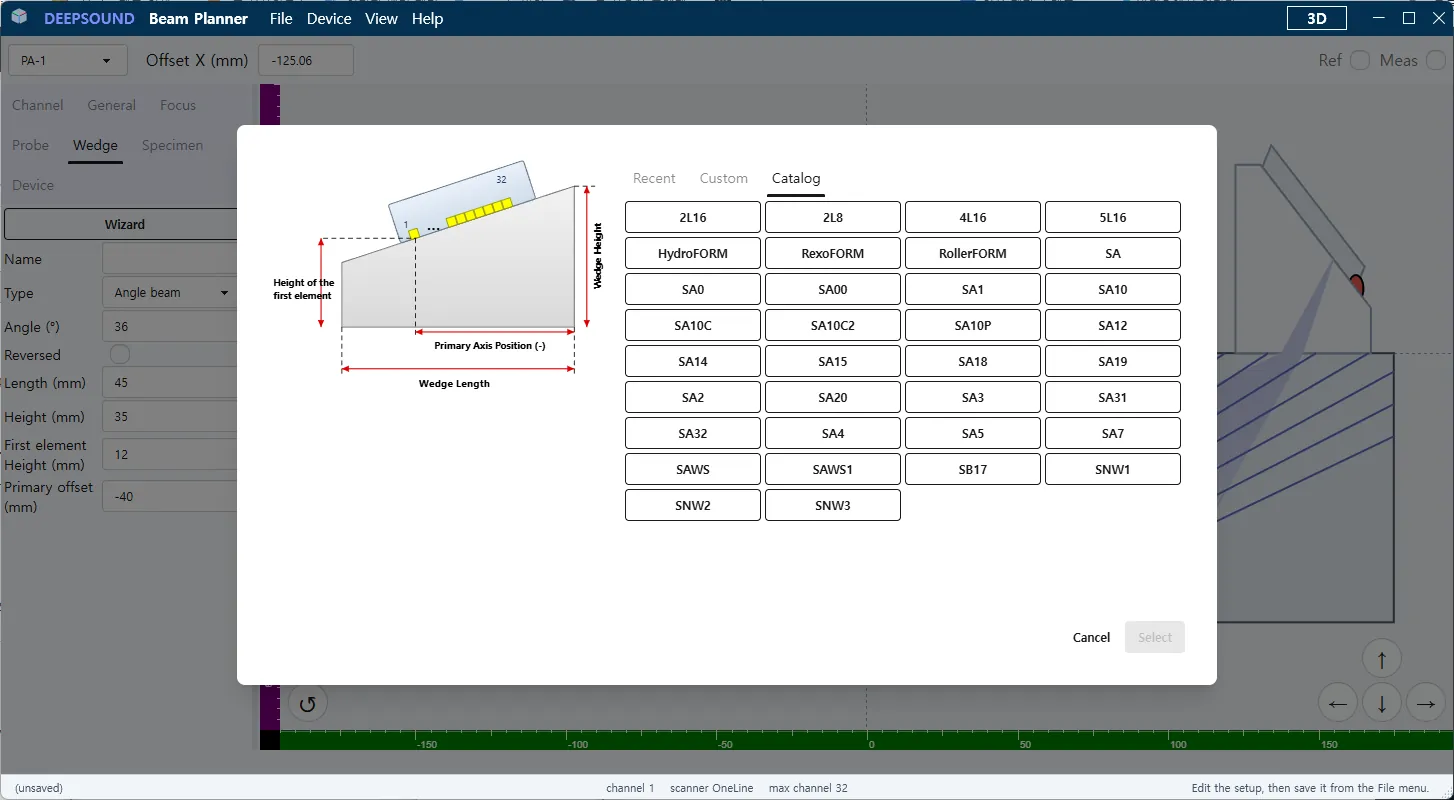
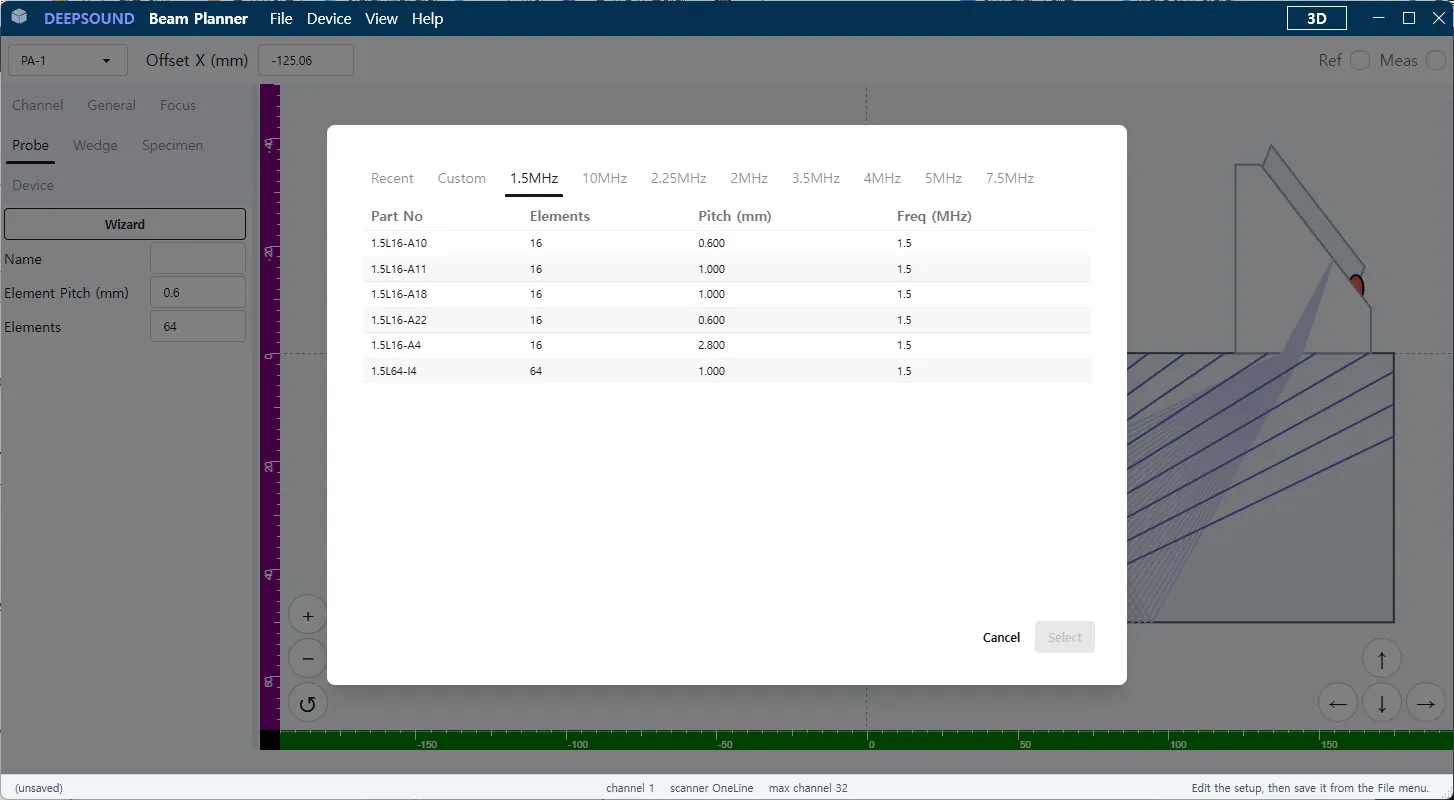
Probe & Wedge Configuration
Input equipment specifications to match your inspection setup. Configure primary angles, wedge velocities, and probe offsets for accurate simulations.
- Custom Wedge Angle Input
- Exact Probe Positioning (Offset X/Y)
- Dynamic Acoustic Velocity Matching
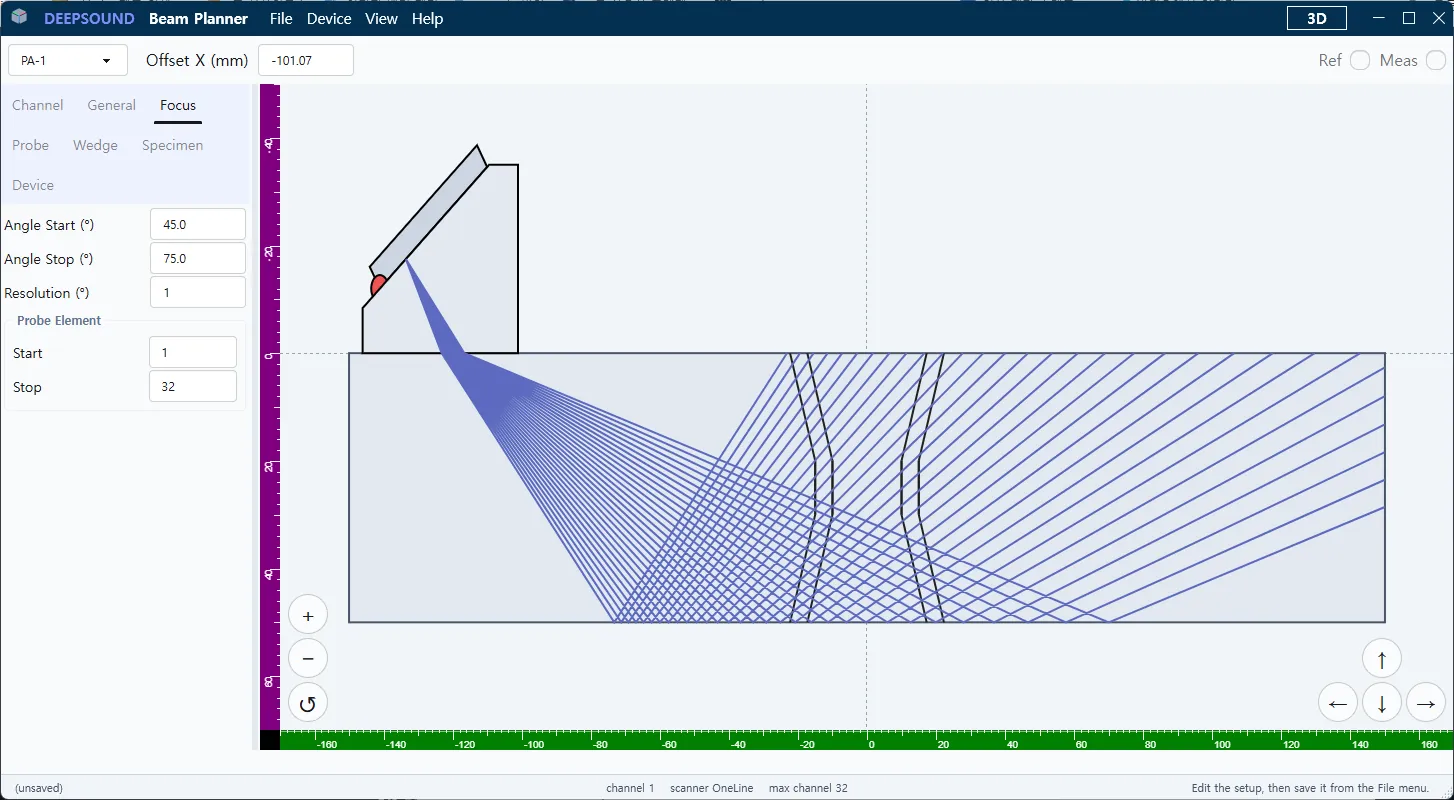
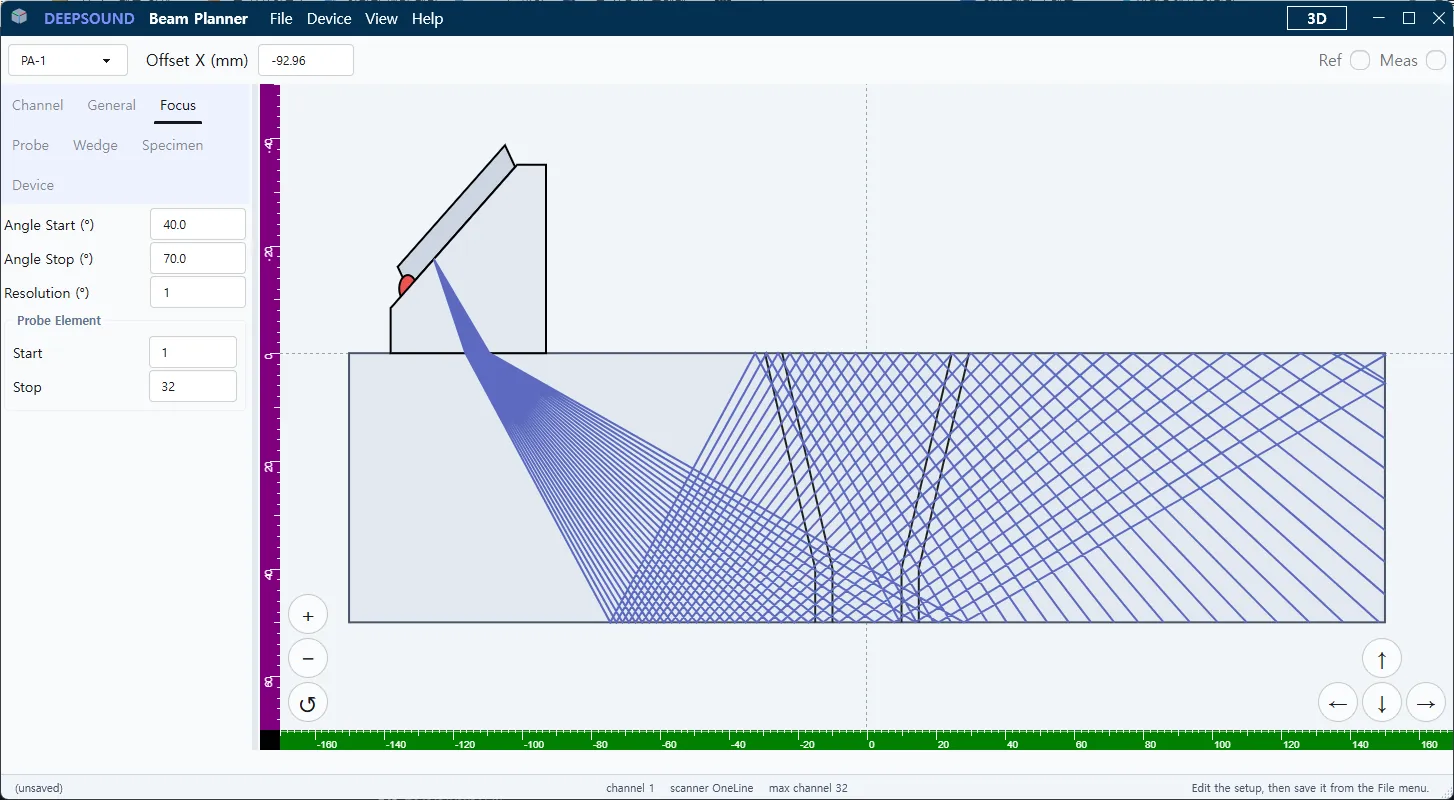
Weld Profile Overlay
Visualize complex weld profiles with our intuitive overlay system. See exactly how your ultrasonic beams interact with bevels, roots, and caps to ensure 100% volume coverage of the weld zone.
- V-Bevel and Double-V Overlays
- Real-time beam path tracking
- Thickness and Root Gap Adjustments
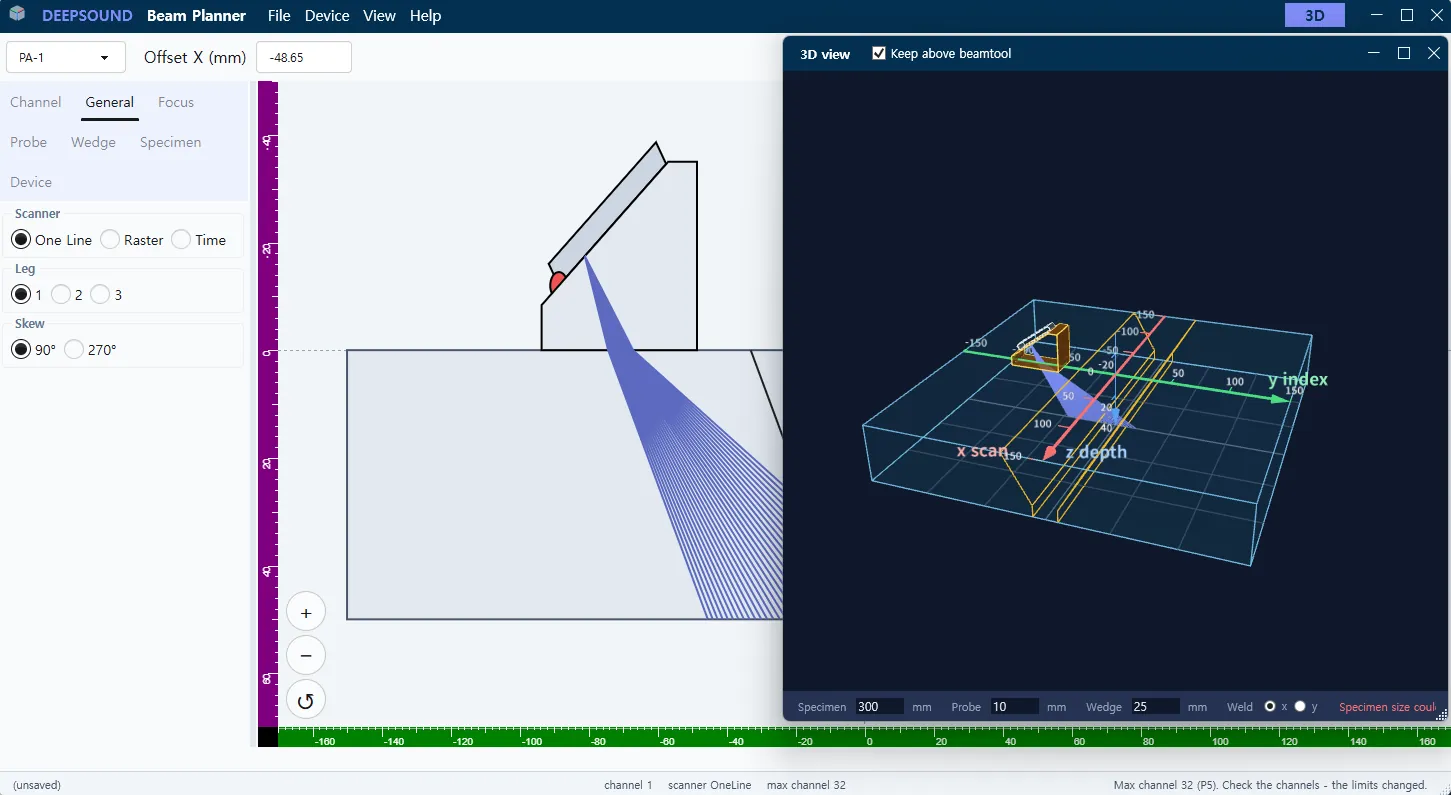
Interactive 3D Visualization
Gain complete spatial awareness of your inspection plan. Beam Planner features an interactive 3D rendering mode that allows you to rotate and inspect the wedge, probe, and ultrasonic beams in a full 3D environment.
- 360° Free Rotation & Zoom
- Spatial Beam Path Analysis
- Realistic Component Rendering
Comprehensive Scan Visualization
Support for Linear, Sectorial, and Conventional scanning modes. Group your channels efficiently for multi-probe inspection plans.
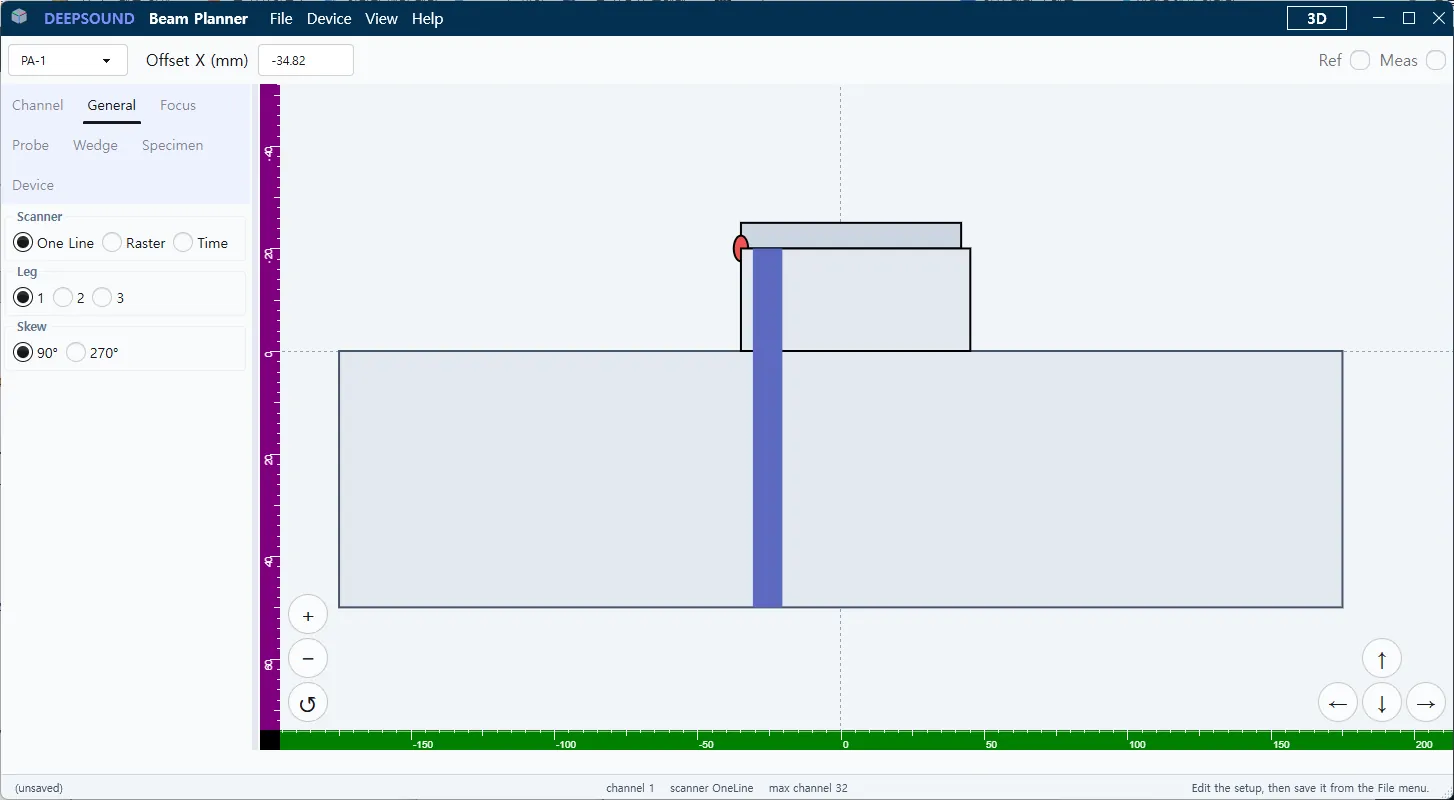
Linear Mode
Visualize electronic scanning along the active aperture.
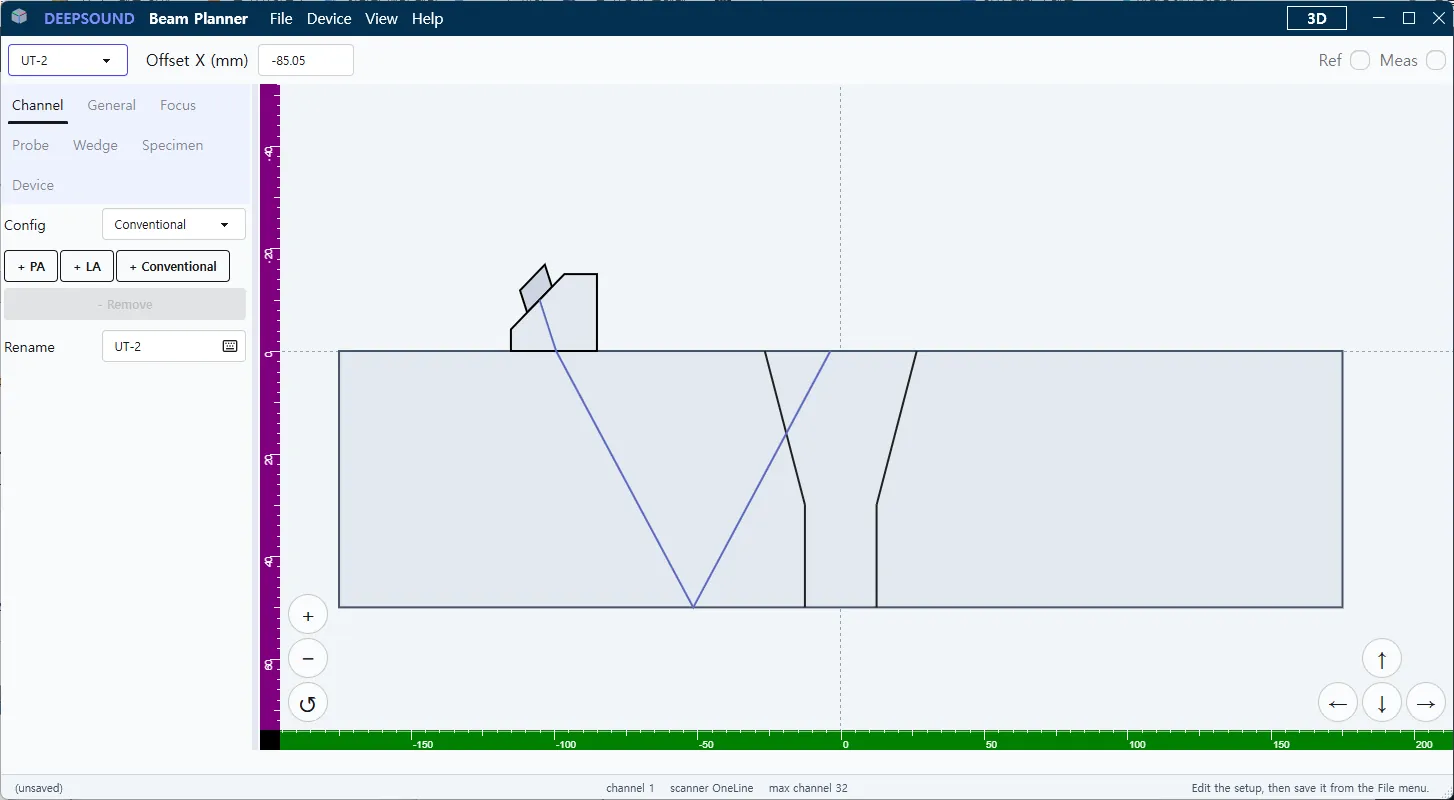
Conventional Mode
Simulate single-element UT behavior accurately.
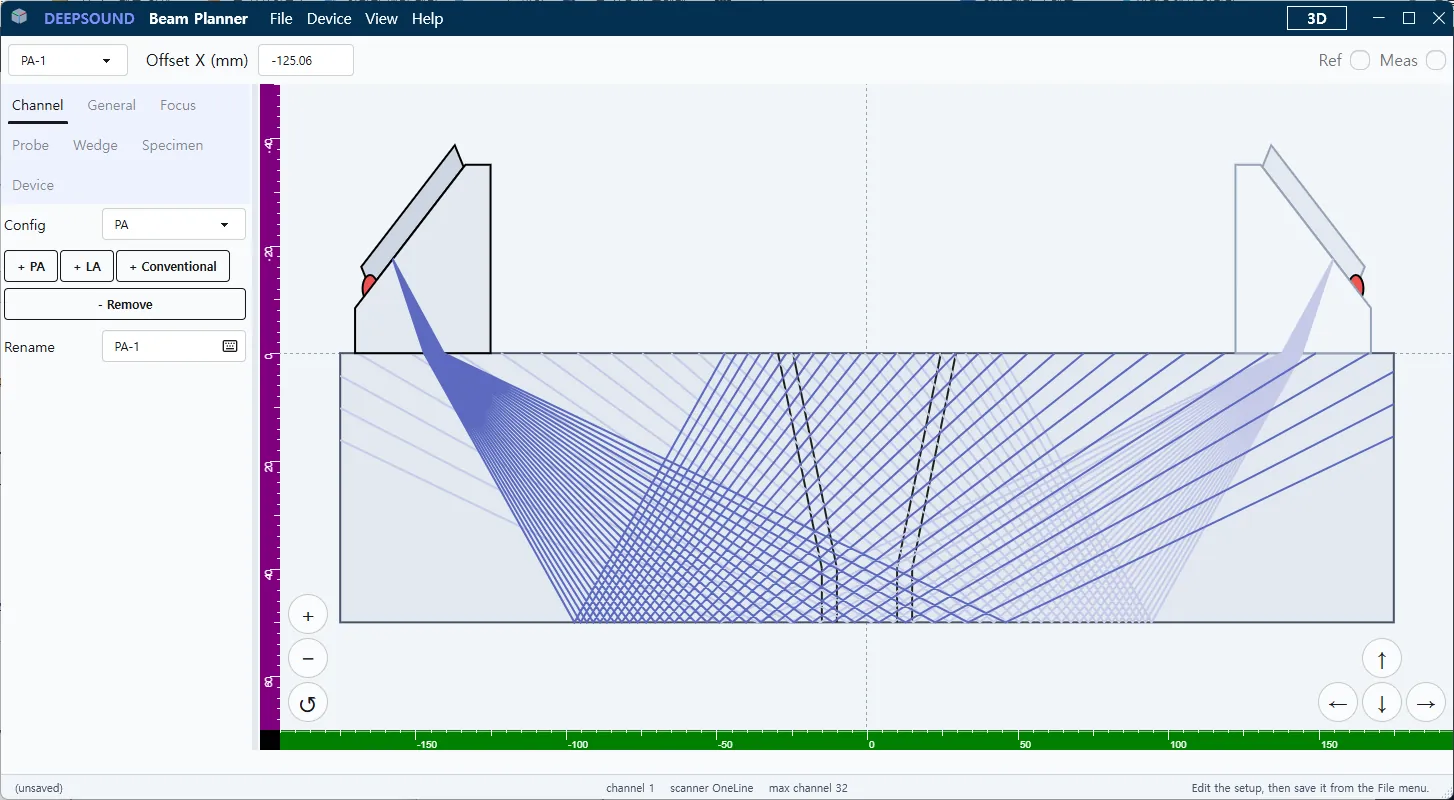
Channel Grouping
Manage dual arrays and complex groupings effortlessly.
Try the Simulator
Interact with the live simulator below. Adjust wedge angles, drag the probe, and observe real-time ray tracing.